
For organizations concerned with where their investigation data goes, using LLMs inside their cloud environment (such as AWS or Azure) is a better-performing option than having local LLMs. When you use models in your cloud provider, then no data is seen by the GenAI vendors.
We already talked about using Anthropic’s servers and local LLMs. In this post, we’ll cover how to configure your AWS account to run models and how to connect your MCP server, such as Autopsy or Cyber Triage, to them. This process should work with GovCloud, but we have not tested it.
Using AI Models in AWS, Azure, or Google
All cloud providers offer frameworks that can run various AI models, including Claude and ChatGPT.
These frameworks have names like:
- AWS Bedrock
- Azure Foundry
- Google Vertex (Gemini Enterprise Agent Platform)
When using these, none of your data ever goes to the GenAI vendor. It stays within the controls of your cloud account. Your data is governed by AWS’s Bedrock terms rather than the model vendor’s.
Here’s the basic concept:
- The cloud framework has a public-facing API that is model-agnostic. If your software can connect to the API, then you can swap out any models at any time.
- Your prompts will be processed within the cloud provider’s shared systems, but protected by your cloud identity.
Data Flow
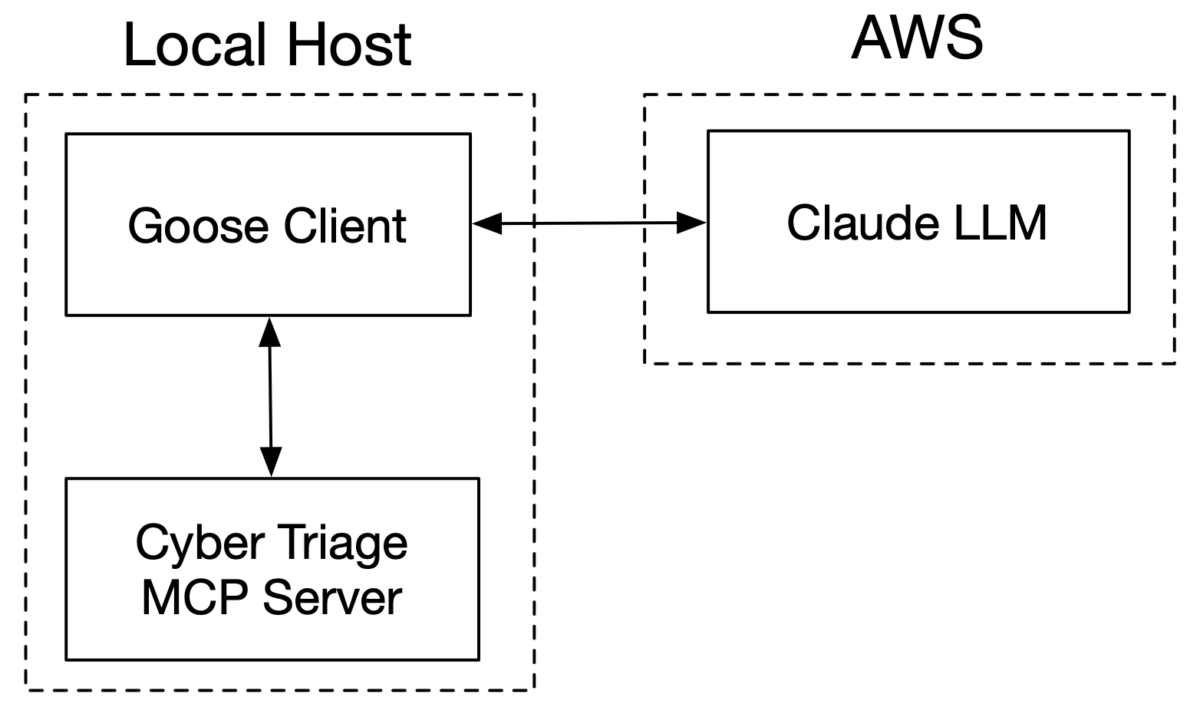
The data flow for using cloud-based models with local MCP servers is the same as using the GenAI servers.
As a quick recap:
- You’ll have local access to your DFIR tools and their MCP server.
- You’ll run a local MCP client that can talk to both the MCP server and the GenAI server (vendor servers or cloud).
- The MCP client acts as the middleman between the MCP server and the GenAI server.
Configuring AWS
You will of course first need an AWS account with console access.
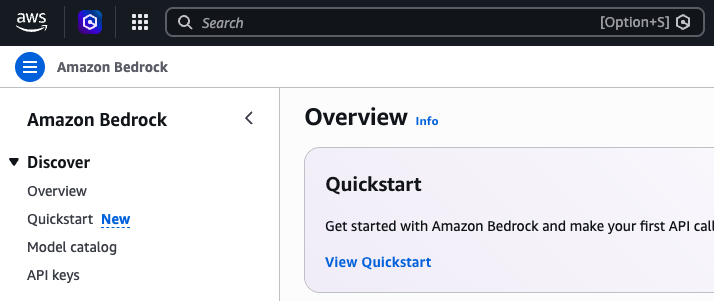
Login and go to the Bedrock service:
Request Access to a Model
Bedrock provides access to many models, but some of the more famous ones require you to first request access.
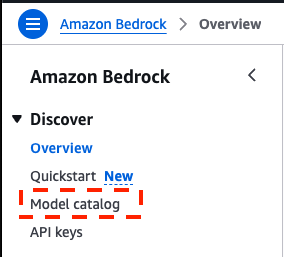
To do this, pick “Model catalog” from the left-hand menu:
Pick the one you want to use, such as “Claude Sonnet 4.6”:
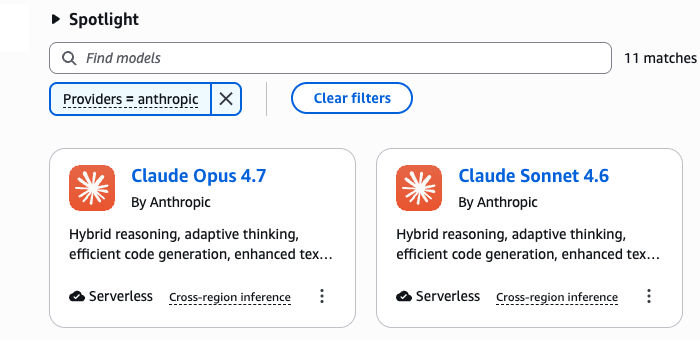
Select it, and you will see a “Request Access” button. Press this and fill in the required basic information. You should get instant access to all Anthropic models after you request access to one:

Once you have access (or if the model doesn’t require approval), you will see the option to “Open in playground.” You don’t need to press this, it’s just your indication that you are ready to go.
Make a Bedrock Key
Next, you need an API key to enter into the client. AWS provides special Bedrock keys for this, versus their traditional IAM access keys.
Choose “API keys” from the upper left:
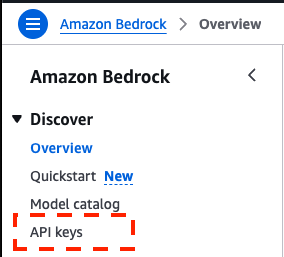
Choose “Generate long-term API key” and pick a duration, such as 90 days. The longer it is valid, the more risk there is of your costs going up if it is leaked or others being able to access your data.
That will make a really long string that you need to copy and paste and keep track of, such as:
ABSKQm000…XFXVXXUcz0=
That’s it! AWS Bedrock is now set up.
Configuring Desktop Client: Goose
Now we need a local MCP client that can talk to AWS Bedrock and your Cyber Triage / Autopsy MCP server.
We previously used Claude Desktop to talk directly to Anthropic servers, but it was complicated to get it to talk to AWS. Currently (and this will likely change 3 times in the next month), you need to enable Developer mode to connect to AWS, and that setting brings with it other virtualization dependencies. It’s too much unnecessary work for the basic integration.
I ended up using Goose. It’s an open-source MCP client that can connect to local and remote providers. I’m sure there are others that would also work (I honestly did not do an extensive survey of them).
Configure Goose To Use Bedrock
- Download and install Goose.
- When you launch it, it will ask for your provider. Choose “Connect” and select “Amazon Bedrock”:
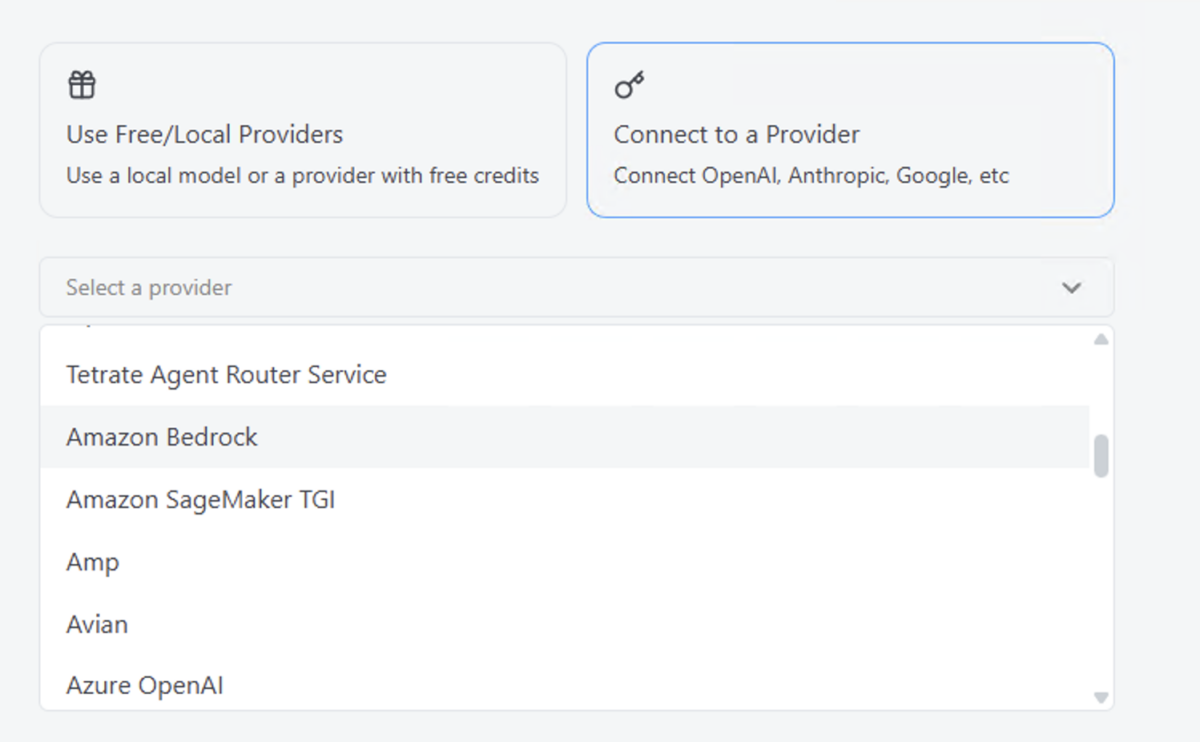
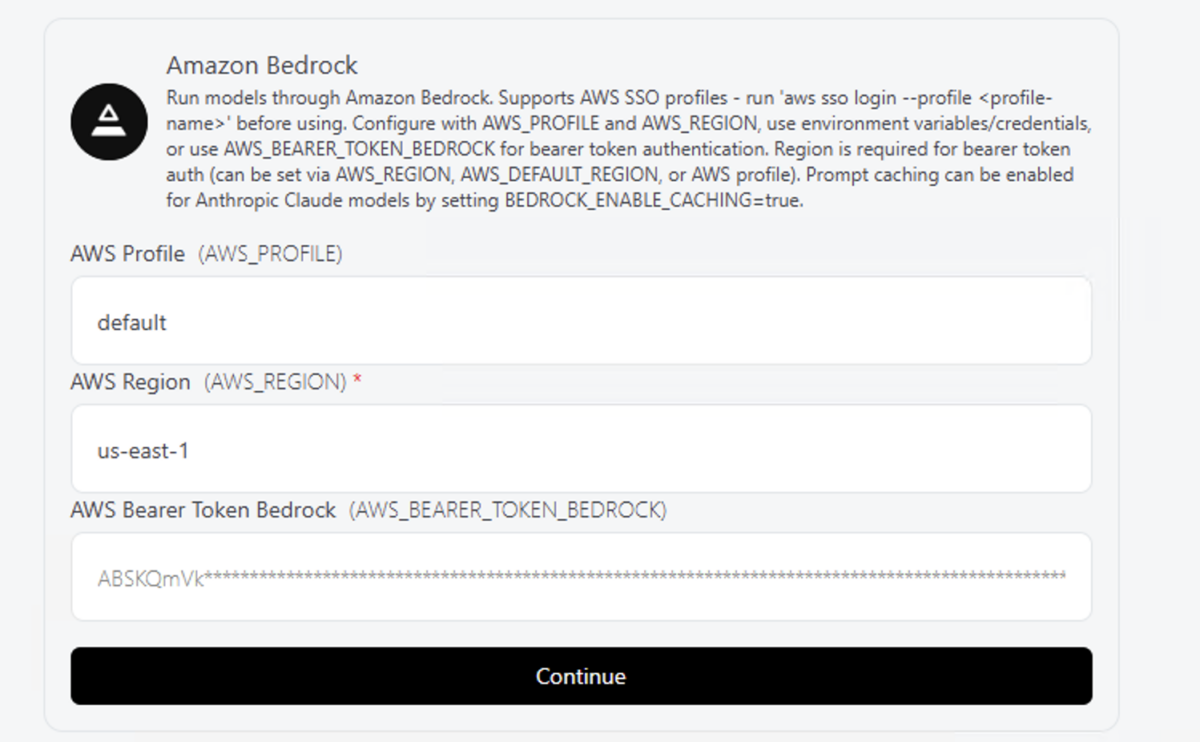
- Enter your Bedrock key and update your region:
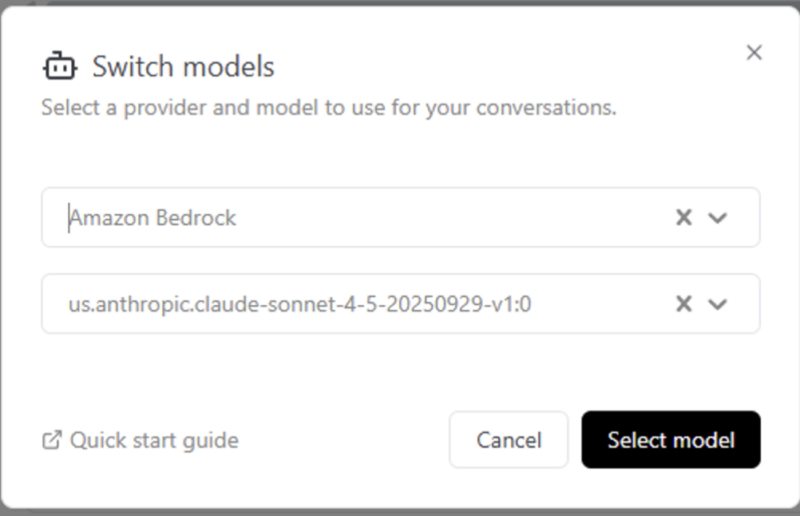
- Pick your model. I did not see the latest versions in the pull-down and had problems manually entering them. I ended up just choosing Sonnet 4.5 (even though AWS has 4.6).
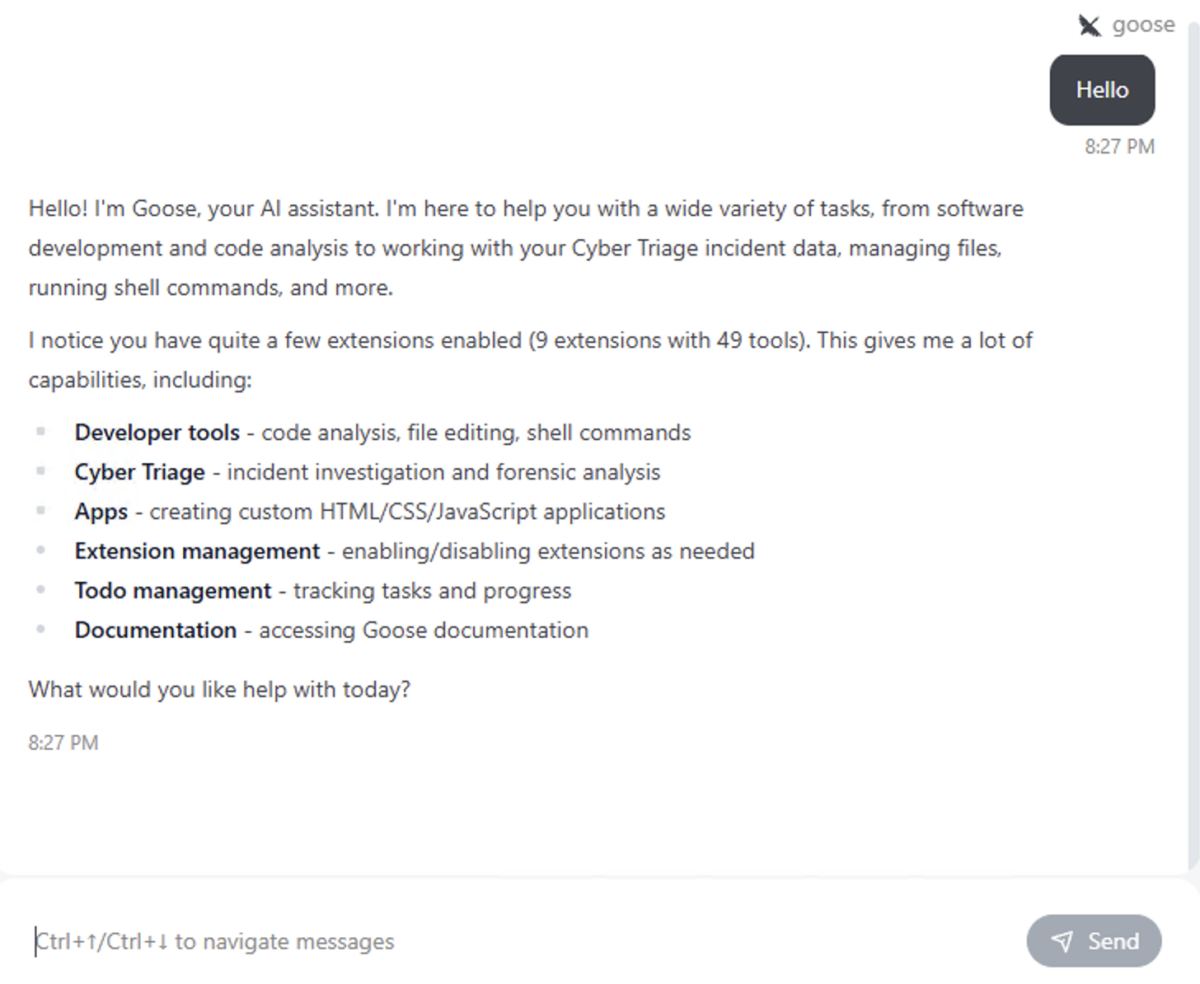
- Verify it works with a simple, “Hello”:
Configure Goose to Use the MCP Server
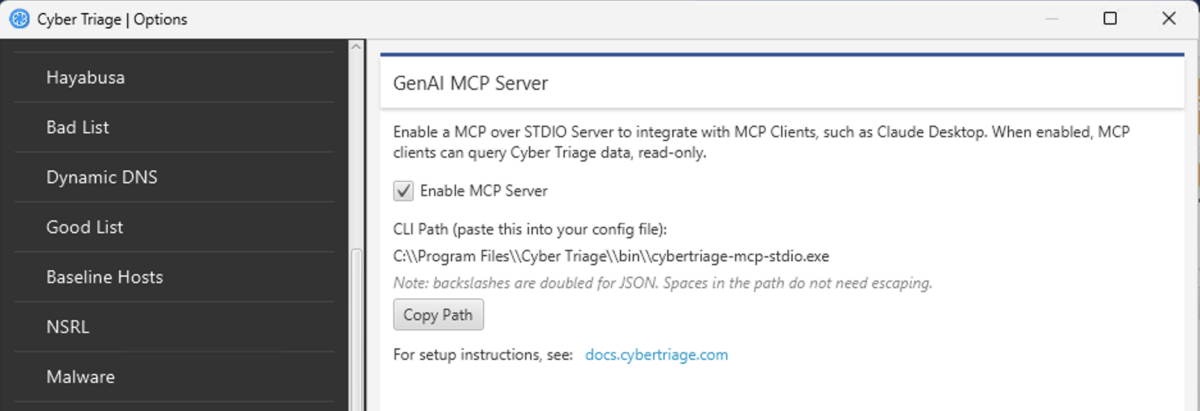
- Enable the Autopsy (user manual) or Cyber Triage (user manual) MCP server. You should have a path from the options panel, such as “C:\\Program Files\\Cyber Triage\\bin\\cybertriage-mcp-stdio.exe”:
- Goose configures MCP servers as “Extensions.” Within Goose, choose the “Extension” menu on the left and then “Add Custom Extension.”
- Enter the basic MCP server information:
- Name: Cyber Triage
- Type: STDIO
- Command: “C:\Program Files\Cyber Triage\bin\cybertriage-mcp-stdio.exe”
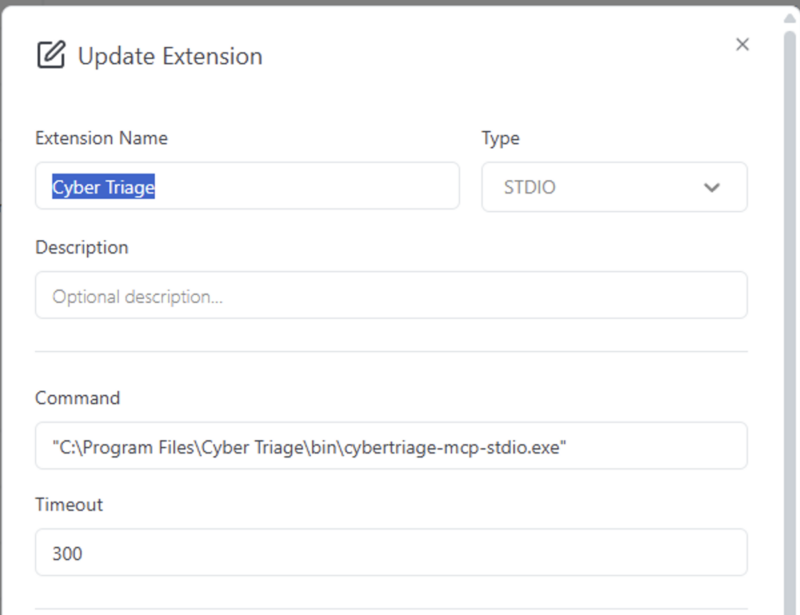
- NOTE: I had a problem with the spaces in the path in Goose. The double backslashes are not required, but I added quotes around the full string. Before that, it gave errors about not being able to find the file.
- After you save the extension, then type in “Can you see the Cyber Triage MCP Server” (or whatever server you added).
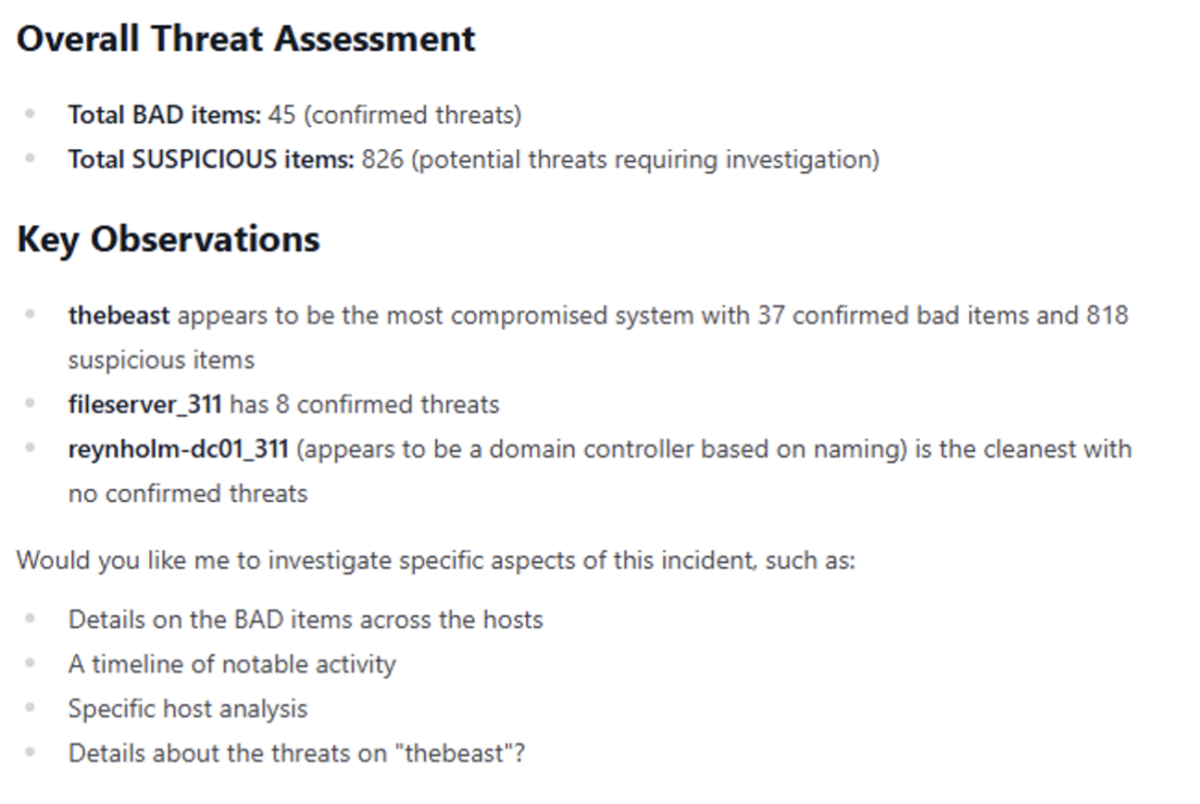
Next, ask it to summarize an incident that you have open:

Cost Differences
The per-token pricing between calling Anthropic, for example, directly vs Bedrock is about the same.
Where pricing can diverge is:
- Provisioned throughput: You can reserve GPU cycles in AWS for low latency, and this gets very expensive.
- Other services: Each offers other services that could be more expensive or drive costs down. For example, Anthropic had better prompt caching for a while (which reduces costs). Bedrock is more for guardrails, etc. You may want different agentic frameworks, etc.
Conclusion
As you bring AI into your investigations, you have options about where to host the LLM. Using the cloud gives you more privacy controls and the ability to easily swap models.
As you experiment with the Cyber Triage MCP server, make sure you submit your findings to our challenge about DFIR + AI success and failures. We’re collecting examples to make sure that people have real examples to support their fears or dreams.
https://www.cybertriage.com/blog/aidfir-2026-challenge-the-good-vs-the-ugly/